Streaming Alerts
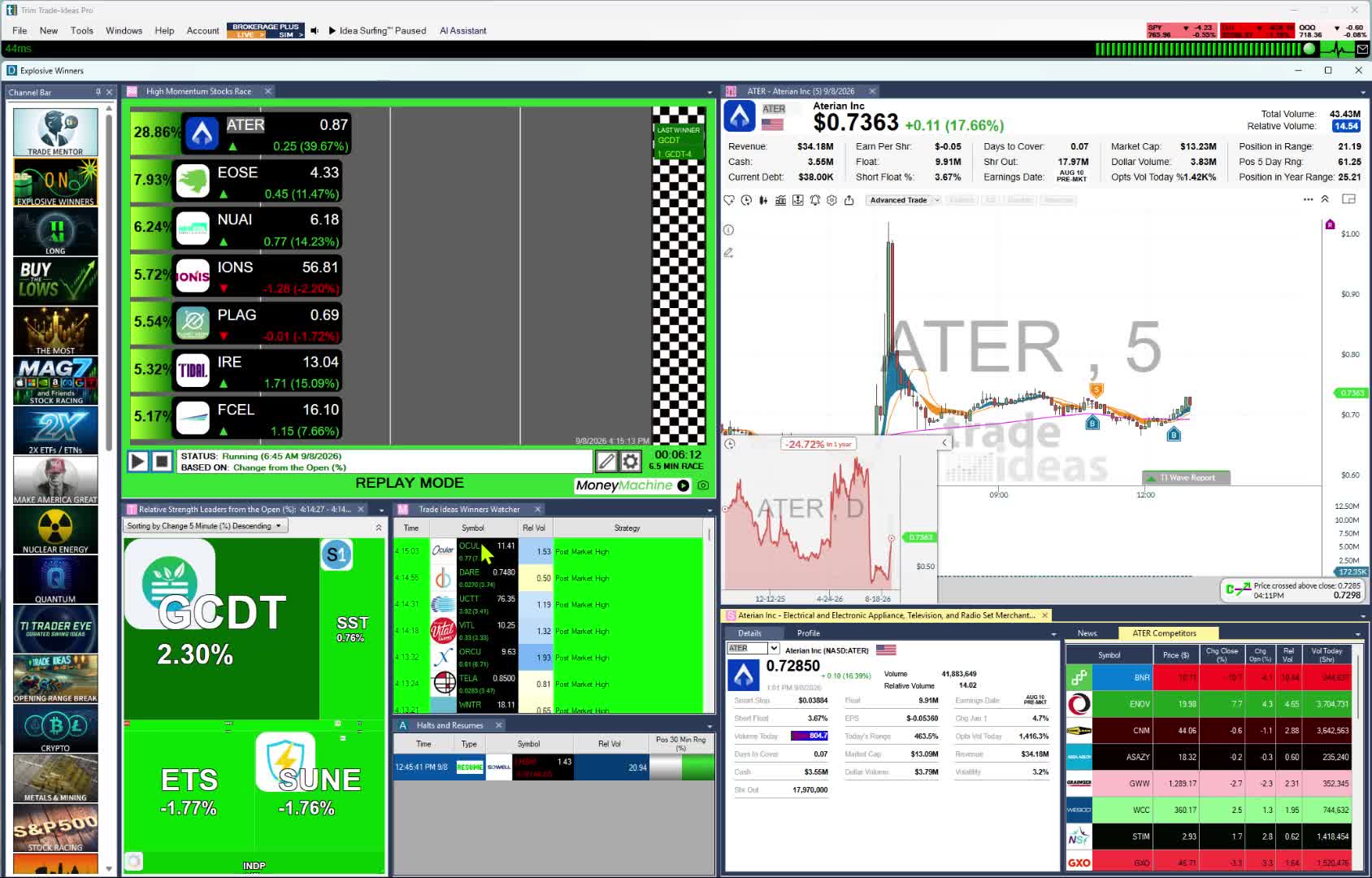
The scanner. Alerts can fire on every trade, which can be several times a second. A new high is one example. Add Composite Rating and you only hear about high-rated stocks.

Named to the Inc. 5000 list of America’s fastest-growing private companies six years in a row (2017–2022).
Investopedia: Best Short Term Stock Screener, 2024
The short answer: If you leave VectorVest for faster data, our pick is Trade Ideas. It keeps a stock rating, SCoRE, which updates live, and adds real-time scanning, AI signals and backtesting. The right fit still depends on what you use VectorVest for. For fundamental research, Stock Rover. For quick screens after the close, Finviz Elite. For charts across world markets, TradingView. Trade Ideas makes one of the tools on this page.
This page is on Trade Ideas' own website. See our Trade Ideas vs VectorVest page for a head-to-head view.
VectorVest has rated stocks since Dr. Bart DiLiddo founded it in 1988. Its product page says it analyzes 16,000 stocks every day.
VectorVest scores every stock on Relative Value, Relative Safety and Relative Timing. The three combine into one VST number and a Buy, Sell or Hold call. Its market timing gauge places the whole market in one of four states, from Safe to Buy to Be Defensive.
Coaching is a big part of the service. A coach records a market analysis at the close of each trading day. Subscribers also get coach-led onboarding and US-based phone support.
A long-term investor who wants one clear call per stock gets a complete system. For every feature, see Trade Ideas vs VectorVest.
Every VectorVest alternative was checked on seven points. The sources sit in How we checked.
| Tool | Replaces which part of VectorVest | Real-time data | Backtesting | AI | Stock rating | List price | Best for |
|---|---|---|---|---|---|---|---|
| Trade Ideas | VST ratings, screeners, WatchDog alerts, AutoTimer, RoboTrader | Yes. Live market data on both plans | OddsMaker, no code (TI Premium / Apex) | Holly AI Signals (TI Premium); AI Assistant (every TI Pro plan) | SCoRE, 30 to 100, live during market hours | TI Standard (Core), $127 a month or $1,068 a year; TI Premium, $254 a month or $2,136 a year | A live rating plus real-time scanning |
| Stock Rover | Ratings and fundamental research | Real-time quotes (where available) on Ultimate | Not listed (historical screening on Premium Plus) | Not listed | Stock scores and fair value estimates on higher plans | Premium $34/mo, or $29/mo billed annually; up to $199/mo | Long-term fundamental investors |
| Finviz Elite | Preset screeners for daily review | Free: delayed. Elite: real-time, 4:00 a.m. to 8:00 p.m. ET | Not listed | Not listed | Not listed | Free; Elite $39.50/mo or $299.50/yr | Quick screens after the close |
| TradingView | Charts and screens, including non-US markets | Screener auto-refresh 10 sec or 1 min on paid plans | Strategy backtesting; Bar Replay | AI screener requests (paid plans) | Not listed | Basic $0; Essential $12.95, Plus $29.95, Premium $59.95/mo billed annually | Chart-first investors; world markets |
| TC2000 | Technical searches and charts | Real-time US stocks (Nasdaq Basic); real-time scanning on Premium | Not listed | Not listed | Not listed | Basic $24.99, Premium $49.99, Premium+ $99.99/mo | Charting and scanning on a budget |
| TrendSpider | AutoTimer-style backtests and technical scans | Real-time US data (non-pro); scans every 2 hours to every minute by plan | Yes, on every plan | Sidekick assistant (25 messages/mo) | Not listed | Standard $59 to $89/mo by billing term; up to $349/mo | Automated chart analysis |
| thinkorswim | Screeners and trade entry at your broker | Scan refresh rate not listed by Schwab | thinkScript strategy testing | Not listed | Not listed | No charge for Schwab clients | Schwab clients |
Scroll the table sideways on a phone.
A "Not listed" cell means the company's pages did not show it on October 6, 2026.
Best for a live stock rating with real-time scanning
You keep a rating when you move. Trade Ideas scores stocks with SCoRE, its own rating, during market hours. It also catches US-listed stocks in motion with Streaming Alerts, the scanner, and ranks them with Top Lists, the screener.
Replaces: VST ratings, preset screeners, WatchDog alerts, AutoTimer backtests and RoboTrader.
Live technical events. Alongside a rating, Trade Ideas gives you 310 alerts and 249 filters, each explained in our help, to combine as you like; every filter accepts a min and max value. Intraday alerts cover crossovers and candles on several timeframes, such as a 5-minute 8/20 SMA cross down or a 15-minute hammer, along with opening range breakout and breakdown alerts at 1, 2, 5, 10, 15, 30 and 60 minutes like the 30-minute breakdown. 191 alerts carry an extra setting of their own; on a gap down reversal it is the minimum retracement. The possible combinations are effectively unlimited.
Worth knowing: You won't get a Buy, Sell or Hold call per stock. SCoRE narrows a list; it never tells you to buy or sell. Coverage is US-listed stocks. Holly AI Signals need TI Premium, and so do OddsMaker and Money Machine.
Build the screen yourself. Use the AI Assistant in plain English or the no-code menu with 310 alerts and 249 filters, and write extra filters in the Formula Editor. On the Premium tier you can replay ideas through OddsMaker and get Holly's intraday signals, each spelling out entry, stop and target.
Best fit: Investors and active traders who want a rating and a live view of setups. Beginners who want the premium experience also fit.
Best for scores and fair value on a long-term portfolio
Long-term investors are the audience for Stock Rover, a research and screening tool. Stock scores and fair value estimates arrive on the higher plans.
Replaces: VST ratings and fundamental research for a long-term portfolio.
Worth knowing: Real-time quotes appear only on Ultimate. A backtester is not listed.
Best fit: Long-term investors who screen on fundamentals and want a score next to each stock.
Best for do-it-yourself screens after the close
Finviz pairs a web screener with market heat maps, sold free or as the paid Elite plan. You choose the filters instead of following a rating.
Replaces: The preset VectorVest screens you check once a day.
Worth knowing: The free version refreshes screens every 3 minutes. A stock rating is not listed.
Best fit: Long-term investors who review stocks after the close and like fast fundamental screens.
Best for investors who want charts across world markets
VectorVest gives you a rating. TradingView gives you the chart and lets you judge. World coverage matters if you invest abroad, and its screeners reach 150+ exchanges in 50+ countries for stocks, ETFs and crypto.
Replaces: VectorVest charts and screens, with markets outside the US.
Worth knowing: Only paid plans auto-refresh the screener. There is no stock rating listed, so you make the call yourself.
Best fit: Chart-first investors, and anyone who holds stocks outside the US.
Best for technical scans and charts on a budget
TC2000 is charts first, scans second. Investors who used ProTrader-style scans can rebuild them here.
Replaces: Technical searches, such as ProTrader-style scans, and the charts that go with them.
Worth knowing: Premium is the first tier with real-time scanning. A stock rating is not listed.
Best fit: Chart-centered and swing investors who want a low monthly cost.
Best for backtesting your own technical rules
TrendSpider is for investors who want to test rules themselves. It automates technical analysis. Scans, backtests, automatic trendlines and automated orders all live in one tool.
Replaces: AutoTimer-style backtesting and technical scans.
Worth knowing: Scan frequency varies by plan. Paid trials cost $19 to $49.
Best fit: Investors who want to build and test their own timing rules.
Best for Schwab clients who invest and trade options
thinkorswim is trading software from Schwab. It scans with a tool called Stock Hacker.
Replaces: Stock screens and trade entry, in one place at your broker.
Worth knowing: Its audience is Schwab clients. A stock rating is not listed.
Best fit: Swing and options traders with Schwab accounts.
Plenty of investors are well served by VectorVest. Stay if one of these describes you.
Trade Ideas does what VectorVest does, and much more. Each VectorVest feature in the left column has its Trade Ideas counterpart on the right.
| If you use this in VectorVest | In Trade Ideas |
|---|---|
| VST rating (Relative Value, Safety and Timing) | SCoRE, rated 30 to 100 and updated live in market hours. In the app it is the Composite Rating filter. |
| Buy, Sell or Hold call | There is no per-stock call. On TI Premium, Holly AI Signals give an entry, a stop and a target in the session. |
| Preset screeners ranked by VST | Top Lists sorted with a SCoRE filter, and Channel Bar presets on all plans. |
| WatchDog and Super WatchDog alerts | Streaming Alerts across US-listed stocks, the moment each event happens. |
| 15-minute delay on Market Launchpad and Enhanced | Both plans run on live market data. |
| AutoTimer backtesting | OddsMaker, which tests without code, on TI Premium. |
| RoboTrader trade alerts you approve | Money Machine Auto Trading on TI Premium. Simulated Mode lets you try it first. |
| Daily Color Guard analysis and coaching | The Trade Ideas Trading Room, free, Monday to Friday from 8:00am to 3:30pm ET. |
| Added when you switch | The AI Assistant in TI Pro on all plans. Describe a scan in plain English. |
| Added when you switch | Paper trading and in-app trading (TI Standard). |
Swipe to see the Trade Ideas side of each row.
SCoRE stands for Stock Composite Rating. It is Trade Ideas' own rating of a stock's technical and fundamental strength.
SCoRE rolls more than 15 metrics into one number. Most are technical. Key fundamental data points are part of the mix. It is dynamic, so it updates in real time during live market hours.
Inside Trade Ideas, the filter is called Composite Rating. You add it in an Alert window or a Top List window, on the Window Specific Filters tab. A minimum of 90 keeps only high-rated stocks.
Because SCoRE is a filter (called Composite Rating in Trade Ideas), Trade Ideas' AI can also use it when it designs a strategy. It brings SCoRE in where it is appropriate to look for a statistical advantage.
Past results, including backtests, don't guarantee future results.
Treat SCoRE as a way to narrow your list, never as a buy or sell call. After the filter, look at the chart and apply your own risk rules. For details, read SCoRE explained and the Stock Composite Rating filter guide (official help page).
The scanner. Alerts can fire on every trade, which can be several times a second. A new high is one example. Add Composite Rating and you only hear about high-rated stocks.
The screener. Top Lists rank the stocks that pass your filters right now. They update every 15 seconds.
One click on a preset fills your screen. S&P 500 stocks moving up quickly suits a quality-first investor, and Big Momentum Movers shows the wider market. Standard and Premium both carry it, on desktop and the web.
On TI Premium, each signal carries an entry, a stop and a target. Signals arrive intraday, and you choose to exit that day or hold.
Test without code. Run a scan back over Trade Ideas history using your own entry, stop and exit. TI Premium includes it.
Auto Trading that follows your own Top Lists and Streaming Alerts, with a stop and a target set on each trade. Simulated Mode comes first. TI Premium includes it.
A $0.99 trial covers the first 30 days of each plan. Premium is where real-time US data comes in.
Only TI Premium has Money Machine, OddsMaker and Holly AI Signals. Standard subscribers still get the Holly AI Assistant and the Channel Bar. Joining the Trading Room is free.
These prices date from October 6, 2026. Prices move, so confirm on VectorVest's site and ours before you subscribe.
Where the facts come from (October 6, 2026): vectorvest.com/product-pricing; trade-ideas.com/pricing; stockrover.com/plans; finviz.com/elite; tradingview.com/pricing; tc2000.com/pricing; trendspider.com/pricing; schwab.com/trading/thinkorswim.
Revision note: published October 6, 2026. That is the day each VectorVest price and feature here was checked.
For most investors leaving VectorVest, our pick is Trade Ideas. It's our own product, so test it. SCoRE rates stocks from 30 to 100 and updates live during market hours. On top of that you get Streaming Alerts, Top Lists, Holly AI Signals and OddsMaker. For fundamental research, Stock Rover is a strong fit.
Yes. SCoRE, short for Stock Composite Rating, is how Trade Ideas rates a stock's technical and fundamental strength. More than 15 metrics go into one number from 30 to 100. A score of 90 or above is generally excellent. The app calls the filter Composite Rating. It narrows a list and is never a buy or sell signal.
Partly. The free Finviz has delayed quotes. TradingView Basic costs $0. Schwab clients pay nothing for thinkorswim. None of them list a rating like VST. For Trade Ideas, the free piece is the Trading Room; the rating and scanning software is paid.
On October 6, 2026, TradingView Essential at $12.95 a month (annual billing) and TC2000 Basic at $24.99 a month had the lowest paid prices here. Finviz Elite cost $39.50 a month. Finviz and TradingView have free versions too. Choose the lowest-cost tool that shows what you need when you need it.
Yes. If you have only ever checked a daily VST rating and live data is new to you, Trade Ideas is a good fit for a beginning trader who wants the premium experience. You configure nothing, because the Channel Bar's presets are ready in TI Pro. Every TI Pro plan includes the Holly AI Assistant. The free Trading Room adds live lessons from Barrie Einarson and a community of traders. See Trade Ideas for beginners.
No. Holly AI Signals come during the session, and you can hold for as long as you choose. Investors can sort a Top List by SCoRE so quality names stay on top. Streaming Alerts can help time an entry for a longer hold.
On October 6, 2026, VectorVest listed Market Launchpad at $49.99 a month, Enhanced at $99 and Premium at $149. Real-time data is on both Trade Ideas plans, so the only choice is TI Standard at $127 a month or $1,068 a year, or TI Premium at $254 a month or $2,136 a year. Holly AI Signals, OddsMaker and Money Machine are not in TI Standard; they come only with TI Premium.
Yes. Some investors keep VectorVest for long-term ratings and market timing. They add Trade Ideas to see which stocks are moving during the session. A Composite Rating filter then keeps high-rated stocks at the top of a live scan.